Showing posts with label Apps. Show all posts
Showing posts with label Apps. Show all posts
Monday, August 31, 2015
PPSSPP Gold Apk Free Download - PSP Emulator Apk

PPSSPP is the best, original and only PSP* emulator for Android. It runs a lot of games, but depending on the power of your device all may not run at full speed.
No games are included with this download. Dump your own real PSP games and turn them into .ISO or .CSO files, or simply play free homebrew games, which are available online. Put those in /PSP/GAME on your SD card / USB storage.
Some games that work (not all will run full speed on all devices):
Persona 2, Persona 3 Portable
Dragon Ball Z
Little Big Planet
Burnout Legends, Burnout Dominator
Final Fantasy : Crisis Core
Final Fantasy : Type-0
Monster Hunter 2 Unite and 3: HD Remake
Soul Calibur
Tekken: Dark Resurrection and Tekken 6
Grand Theft Auto LCS / VCS
Lumines
Worms
Wipeout
and many more…
See http://www.ppsspp.org for more information.
Please note that ARMv6-based devices may have various kinds of issues, and more modern devices are recommended.
* PSP is a trademark of Sony, Inc.

Download Here

Whatsapp Trick To Freeze Any Friend's Android Phone

Heyy guyzzz....i m up with a cool trick. As we know whatsapp is most popular chating apps among us. Everyones uses it for chating purpose. But what if we use it to freeze anyone's phone??
We can do it by an app called whats bomber.Actually in this article bomb means a very large message containing 28000 to 350000 charectors.
Now let me tell you how can you do this stpe by step:-
1. At first download the app whats bomber and install it on your android phone.
2.Now launch the app, and select the power of the 'bombs'.There are 4 types:- 2*,4*,8*,16*But i will recommend power 8 coz sending a very long text can hang your device too.
3.After selecting power hit copy, and whatsapp will be opened.
4.Now just select name of the contact whose phone you want to be hanged and send it.
And reciever will be amazed coz his device will freeze when he/she tries to open your message.
Have fun and surprise your friends......


Clash Of Clans v6.407.2 Mod/Hack Apk Free Download

You heard it right! We bring you the Mod/Hack of Clash of Clans, currently, the most trending game. Tested many times, for stability, this mod is surely going to enhance your level of gaming!
Server Information
| Server | IP | Status |
|---|---|---|
| On HAX Main CoC Database server | Private | Click Here |
Server Features
- 64 GB RAM
- 3.7 ghz Processor
- 2 TB Hard Disk
Instructions
- Download the given CoC DUAL INSTALL APK given below
- Install and enjoy

- 15/10/2014 : Servers are given custom names(beta). Memory leaks and some bugs fixed.
- 21/10/2014 : Multiple servers sharing same database, so that another server can be used, when one is down, and your game progress remains saved, even after changing server.
- 27/10/2014 : New custom server working with latest version
- 29/10/2014 : Custom APK provided with Main Database working on multiple servers.
- 11/11/2014 : New servers
- 12/11/2014 : New Custom APK
- 17/11/2014 : Patched to work with latest version of CoC (Android and ioS)
- 19/11/2014 : Assigned Elastic IP to the main server
- 03/12/2014 : ♪Custom Barbarian Tower and SnowFall added. Its Christmas!! ♥
- 06/12/2014 : All Savings related issues fixed. PvE added! Chasethose Goblins!
- 25/12/2014 : Universal APK released!
- 04/01/2014 : “Dual Install”> You can install both original apk and mod apk on phone! Play them side by side.!


Download link:--
Coc Mod Apk
True Skate v1.3.11 Apk Free Download

True Skate
The Official Street League Skateboarding Mobile Game.Loved by skaters all over the world. Better then fingerboarding.
Note: True Skate comes with a single skate park and contains additional content only available by In-App purchase. See below.
Features:
- Realistic touch based physics.
- Deck wear. Scuff up your Deck.
- Flick the board to make it react exactly how you would expect.
- Drag your finger on the ground to push.
- A beautiful skate park to get lost in including ledges, stairs, grind rails plus a bowl, half pipe and quarter pipes. (Additional skate parks are now available as an
- In-App Purchase)
- Slow motion.
- User challenges
- Replay viewer
- Global leaderboards.
What’s New
In 1.3.11
- Fixed problems with facebook login
In 1.3.10
- New skate course: SLS 2014 Los Angeles
- Tilt controls for changing controlling the direction of ollies
In 1.3.7
This is a quick fix for some In-App Purchase issues when experiencing connection issues. Additionally:
- Fixed ollie swipe accuracy issues introduced in last update
- New camera angles
- Remember camera
- Remember last level played
In v1.3.6
- New skate course: SLS 2014 Chicago
- Support for immersive mode
- Skateboard wear. Scuff up your deck and grip
- Trick Scoring for Manuals, Primos and Caspers
- Primos physics
- Manual improvements
- Scoring for body spin tricks with Spin Cam
- Unlock full gap and trick lists
- Higher detailed skateboard graphics
- Tweaked scoring, new leaderboards, view old leaderboards
- Enable glitches option
- Fixed diagonal push speed boost glitch
- Added tips
- Various bug fixes


Download links:--
True Skate Apk
Dead Bunker 4 v1.17 Apk+Data Free Download

Dead Bunker 4 is a Adventure Game for Android
Dead Bunker – the horror game is one of the few games that really make you scared.
The whole gameplay is in first person. You have to go through a huge old bunker, where the unknown incidents took place, after which all employees were either dead or missing. In order to classify all the information on the “Bunker – 18″, the Soviet government sealed all the entrances to the bunker. And exactly here you have to go and solve the causes of the disaster that befell this place.
Dark, gloomy bunker corridors are sneaking to shiver. Derelict rooms, where some weeks ago workers and scientists were busy with their tasks, seem fearsome. Every minute of your stay in this evil place will force the player to leave it as soon as possible. However, it is not so simple, as you wanted to. After all, we need answers to questions about what happened in the “B-18″. Exploring the bunker carefully, you will find information that will help solve the later events have occurred here. From the secret documents, you found out that there are only five media with encrypted data that will shed light on the “B-18″. Stunning graphics, dank atmosphere and the sound will not let you fall asleep during the game.
Attention: We are not responsible for damaged or broken devices. Nervous and mentally unstable people should also play this game carefully.
Screenshots:


Download link:
How To Get Windows Taskbar On Your Android Device

Windows-Inspired Start Menu Guide
Windows 8 may have introduced a new, intuitive touch-based interface, but plenty of Microsoft loyalists were unhappy with the absence of the classic start menu that they were so accustomed to. Although you’ll have to wait until Windows 10 to get this feature back, you can have it right now on your Android device. Today, I’ll be showing you how to apply a Windows-style start menu on Android by using developer AntTek’s application, Taskbar. Let’s start!
Step 1: Install Taskbar
Head to the Google Play Store and install Taskbar by Root Uninstaller (aka AntTek), which will let you launch apps, toggle settings, or select contacts, all from the Taskbar. The app does not require root access, but if you have it, you’ll have the benefit of some additional functionality.
Taskbar link: http://goo.gl/05yP8W

Step 2: Adjust Your Start Menu
Open the app to begin customizing it to your tastes. The first thing you’ll want to do is enable Taskbar, then select “Edit start menu” to tweak it.

The preferences provided will allow you to select the apps in the menu, adjust their order, create folders, add additional toggles, as well as adjust the layout of the menu itself.

You can also add settings to the taskbar, such as toggling Wi-Fi and location services. If you’re using a rooted device, you can also add reboot and shutdown options.
Step 3: Navigate Your Taskbar
To activate your start menu, simply tap on the faint Taskbar icon—you can move the placement of this icon by tapping and holding it, then dragging it to your desired location.
Step 4: Enjoy!

Screenshots

Shadow Fight v1.9.1 Android Game Free Download

SHADOW FIGHT 2
The sequel to the famous Facebook smash hit with 40 million users – combining the cruel arcade motion of Shadow Fight with RPG-components and a new thrilling Fantasy-storyline!
Game description
Shadow Fight 2 is a nail-biting mix of RPG and classical Fighting. This sport allows you to equip your personality with numerous deadly weapons and uncommon armor sets, and lines dozens of sensible-animated Martial Arts techniques! As the thrilling Fantasy-storyline unfolds, you will fight a lot of enemies and face evil demon bosses. Take note that simplest the bravest combatants will succeed in the intention and shut the Gate of Shadows. Thus, you better obey your Sensei and train harder!
The intuitive and addictive fighting gameplay of Shadow Fight 2 was once namely designed for touch-screen devices and combines the simplicity of mobile games with the depth of Fightings. By using the use of the virtual joystick and two action buttons you kick, punch, jump, throw and unleash combos with astonishingly high precision!
Key Features:
- Sequel to the Facebook smash hit Shadow Fight (ca. 40.000.000 players)
- Fluid, sensible combat-animations
- Travel through 6 different worlds challenging the ruling demons in battle
- Experience the breathtaking mix of Fighting and RPG-elements
- Intuitive and addictive gameplay, constructed namely for contact-displays
- Customise your fighter with a ability tree
- Quick to study, tough to grasp
This update contains:
- Ability to fight again in any battle you’ve already won
- Several bugfixes and performance optimization
- Enter the Gates of Shadows and prepare to start your tremendous journey through the shadow lands!
Extract obb data folder “com.nekki.shadowfight” to “sdcard/android/obb/”
Steps To Hack Shadow Fight 2
- Install the game and place the obb data at the specified location.
- Now install Freedom app or lucky patcher app from the link given below
- Now open the freedom apk and you will the list of apps which have in app purchases.
- Select Shadow fight 2 from list and let the game open
- First opening of game will take time, when it opens select “+” buton on top left of screen.
- now go ahead to purschase the items you want and while payment it will show free card making payment and click ok.
- You will receive a message purchase has been successfull.
- thats all you can buy unlimited gems, coins and energy using this method.
SCREENSHOTS


Download links:--
Apk
Data
Cut The Rope 2 v1.3.0 Apk Free Download

Cut the Rope 2
Cut the Rope 2 brings fresh challenges and unanticipated obstacles to the candy crunching, physics-based phenomenon that has delighted millions of players around the world! If you like Cut the Rope, you’ll love Cut the Rope 2! With new characters, fresh gameplay elements, and, of course, Om Nom, candy collecting has never been so fun! Complete tricky missions to earn medals, advance in the game and access special levels. Play with your friends to see who can get the highest score, or tackle the puzzles on your own!
In his unexpected adventure, Om Nom breaks out of his box and travels through lush forests, busy cities, junkyards and underground tunnels, all in pursuit of one goal – CANDY! Along the way, he encounters the Nommies, the cutest candy collecting helpers a little green monster could wish for!
MEET OM NOM’S NEW FRIENDS, THE NOMMIES:
- Roto can carry Om Nom to the best candy catching locations
- Lick can make small bridges with his tongue to help Om Nom reach his goal
- Blue can lift Om Nom to new levels of candy hunting fun
- Toss can throw objects, including candy
- Boo can scare Om Nom to jump to new heights
- Snailbrow bravely rolls on walls and ceilings and pushes candies around, like a boss
- Re-inflated all the balloons — now they are even more cheerful!
- Cut the Rope 2 supports high resolution for an optimal gaming experience on both phones and tablets.
- Unlimited Money.
- No ads.
- Save the downloaded .apk on your android phone’s SD card
- Run and install it
- That’s it,Enjoy!

Download link:-
Cut The Rope 2
Free Download C4droid (C/C++ compiler) Apk Free Download

C4droid – C/C++ compiler & IDE
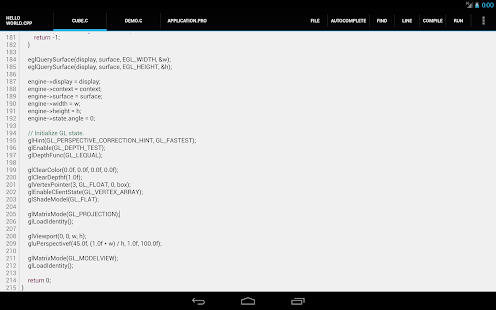
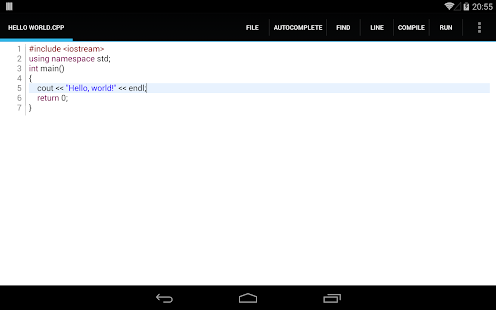
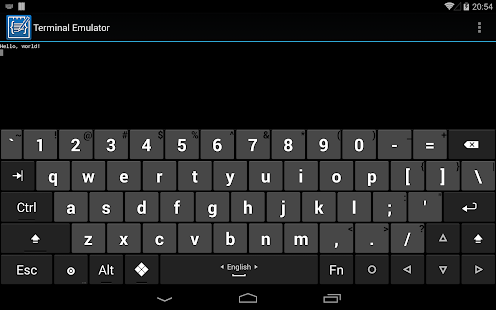
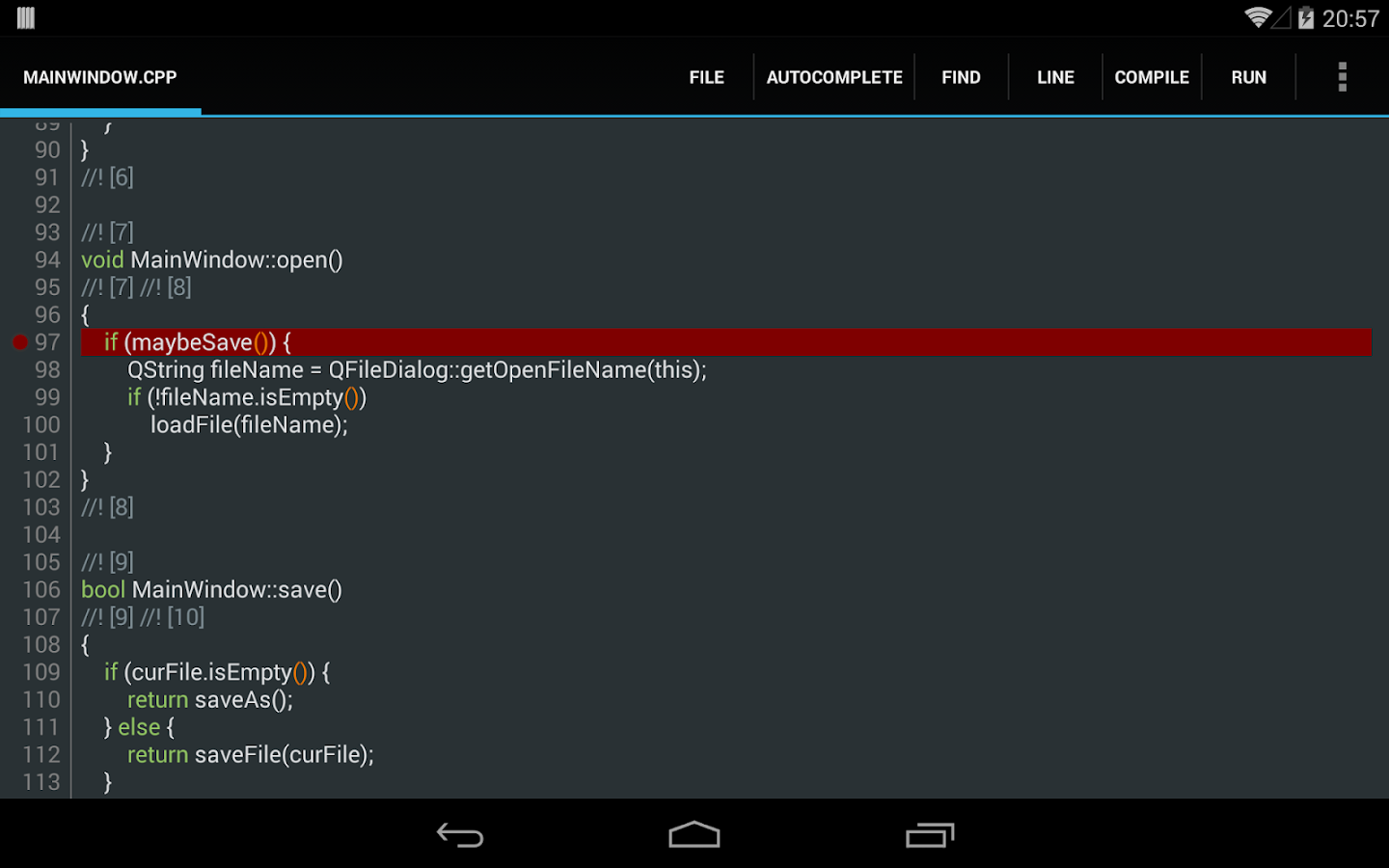
C4droid is a user-friendly (but powerful) C/C++ IDE + C/C++ compiler for Android.
Basic Features
- Offline C compiler: create your own applications on Android device and run them even without Internet access
- Source code editor with syntax highlighting, tabs, code completion, code formatting, file association and undo/redo
- Export&share your programs as APKs or native executables (for terminal apps)
- No root required (but C4droid can use it for your programs if you want)
- Full ANSI C and ISO C99 support with TCC (Tiny C Compiler) + uClibc
- Git integration
- Customizable GUI, choose where to place tabs and buttons by yourself, themes are also supported
- Download & install the apk file given below
- Now launch the app and enjoy!
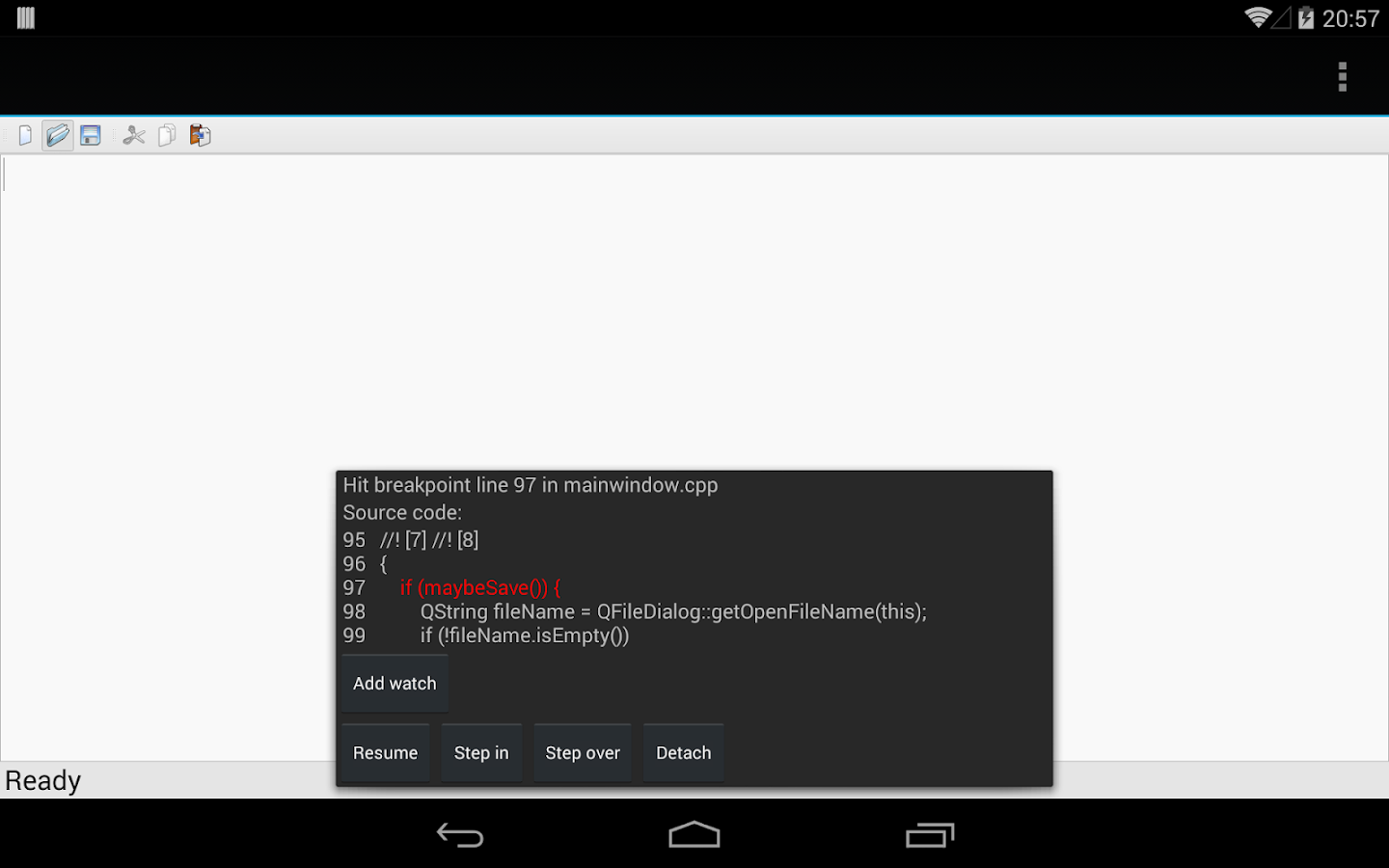
Download link--- Apk
Bluestacks Android App Player 0.9.7.4 Cracked Version Free Download

BlueStacks App Player
BlueStacks HD App Player Pro is a plateform that allows you to run applications, including games written for OS Android – on desktops, laptops and tablets and also this package contains all files to install it offline. This is a special program that uses a technology called LayerCake, which provides the correct environment for running applications for ARM-Android on a computer running Windows. Get Root (right super – user).
After you install BlueStacks on your Windows PC, you can download directly from the program needed Android-app, without having to use the Android-based smartphone. BlueStacks looks pretty neat and fits naturally into the interface Windows.
Features List- Run Android applications in full-screen and not only.
- Through the cloud download your application from the phone to Windows.
- In 16 player preinstalled applications and you can play them if there is no number.
- Ability to set an unlimited number of applications.
- Ability to play 3D games (cache).
- You can set a home screen (Launcher) to replace the standard, etc.
- Sync with your Android device will allow you to make calls, send SMS, take pictures and more.
- Has a lot of settings and system settings Android (Although they are slightly trimmed)
- Knows how to install applications from a computer at the touch of them
- Ability to obtain Root (full access to the file system, etc.)
- You can set Google Play, simply speaking market.
- BlueStacks great friends with ADB is a very big plus, if you really want, you can change the firmware.
- Ability to turn in FastBoot and Recovery.
- BluesStacks has virtual disk, such as SD Card, Data, and a few others. Which again gives you the opportunity to do a lot of “body” motions with it and enjoy all its charms.
- Ability to obtain Root (full access to the file system)
- Now Bluestacks App player Works with Bitdefender AV/IS/TS; Problem has been fixed in this release
- Bug fixed
- Simple Launcher Interface
- SuperUser Support
- SuperSu Support
- Import Windows Files directly from your PC to bluestacks
- Root Explorer Support
- Advanced Calculator Support
- Clock, Camera, and other accessories support
- Root Checker Support
- Build in Media Player which run mp3, mp4 and many other formats easily
- Many more…
- Press Start Button with “R” Key [image]
- Search the regedit in newly opened windows [image]
- Click on HEKY_LOCAL_MACHINE >>> SOFTWARE [image]
- Then select Bluestacks >>> Android >>> Hit enter on Memory and replace 300 to 600; then click on decimal and click “OK” [image]
- That’s it; you will have successfully speed up your bluestacks
- Extract winrar files and run given app as an administrator
- Just wait and follow the instructions during installation of setup into your PC
- After Completing the installation; Bluestacks will automatically launch; just select some options which will appear on screen
- That’s it. Now run your all apps which supports the Android 4.4.2 and earlier.


Requirements-
1.To run 3D games need support virtualization technology Intel® VT-x or AMD-V ™
2.To install the BlueStacks need a video card that supports OpenGL 2.0 or later
3.To start BlueStacks need about 1GB of RAM, otherwise you run the risk of “infinite loading”.
4.For optimum performance, BlueStacks is highly desirable to update your graphics card drivers
5..NVIDIA – (WHQL – certified, stable drivers. Beta – unstable, but can increase in speed)
6. AMD RADEON – (Download drivers – Category components: Desktop / Notebook Graphics)
7. INTEL – (family of products: graphics adapters).
Download link:-
Bluestacks App Player
How To Create Fake Whatsapp Conversation On Android

Have you ever think of making prank on your friends by creating fake conversation on WhatsApp, well then i have a best app for you, its WhatSaid, it lets you create Fake Conversations on WhatsApp by any contact.
So, install WhatSaid on your Android device and Start creating fake Conversations and Make Pranks on your friends.
The basic function of this app is that it creates fake Conversation on your WhatsApp with any contact you want. It only works with WhatsApp. So by creating fake conversation messages on WhatsApp you can make prank your friends.

Fake Conversations on WhatSaid
How to Download and Install?
Step 1 :- First Download WhatSaid apk file.
Step 2 :- Now Install it on your Android Device.
Step 3 :- Once install, open it from the app drawer, and follow the on screen instructions, and create Fake Conversation.
Step 4 :- Now show those conversations to your friends and make pranks on them.
Subscribe to:
Posts (Atom)